
By Matt Townley, Co-Founder of Dayframe | Co-Founder & Executive Producer at Gorilla Creative
You got the green light on a branded content project. The budget is locked and the client wants final deliverables in six weeks. Now you need to turn all of that into a project timeline that actually works.
When we say branded content, we mean any video project produced on behalf of a client for marketing purposes. Brand films, product launches, marketing campaign videos, social content, corporate testimonials, the works. If there's a client with approval authority and a delivery deadline tied to a business objective, this guide applies.
Here's the problem: branded content has project timeline challenges that other types of production don't. Client approval chains are longer. Stakeholder review rounds multiply. Legal and compliance need to sign off on creative and final cuts. The delivery date doesn't flex. It's tied to a product launch, a campaign window, or a media buy that was booked months ago.
A branded content project timeline covers more than the shoot day. It's the full plan from green light to delivered assets, with every milestone, approval gate, and production phase mapped out. Get it right, and the project flows. Get it wrong, and you're scrambling to compress post-production because pre-production ate three extra weeks of client reviews.
This guide walks through exactly how we build branded content project timelines at Gorilla Creative, a video production company in San Francisco that produces branded content, corporate video, and commercial work for clients ranging from startups to enterprise brands. From green light to final delivery, this is the framework.
If you've managed a video production from start to finish, you already understand the basics: pre-production, shoot days, post-production, delivery. But branded content adds layers to the project timeline that other project types don't have.
On a typical branded content project, the script doesn't get approved by one person. It moves through the brand manager, the marketing director, sometimes the VP of Marketing, and often an agency creative director or strategist sitting between you and the brand.
Each person has notes. Each round of notes takes two to five business days. If you didn't budget for that in your project timeline, you're already behind before pre-production starts.
Financial services, healthcare, pharma, and tech companies often require legal review of scripts before production and legal review of final cuts before delivery. This isn't a formality. Legal can request copy changes, disclaim requirements, or the removal of entire scenes. Schedule this as a hard milestone, not a soft one.
Branded content doesn't ship when it's done. It ships when the campaign launches, the product drops, or the trade show starts. The client's launch date sets the deadline. Every phase before it needs to compress or expand based on how much calendar you have to work with.
A single branded content shoot rarely produces a single video. The typical deliverable set includes a hero video (60–90 seconds), social cuts (15- and 30-second versions), vertical edits for Stories or Reels, and sometimes still frames pulled from footage. Your project timeline needs to account for post-production time on all of these, not just the hero.
Talent agreements, music licenses, and stock footage all have usage windows. If the client's campaign runs for 12 months, every asset needs to be cleared for that duration before delivery. This affects your pre-production timeline because usage negotiations happen before the shoot, and any unresolved rights can block final delivery.
Most branded content projects for commercial and corporate clients follow a similar arc. The specific durations shift based on complexity, but the phases stay the same. Whether your production team is five people or twenty, this framework scales.
Here's the framework we use at Gorilla Creative. This assumes a standard one- to two-day branded content shoot with a mid-size crew (8–12 people) and a delivery package of one hero video plus three to four social cuts.
The project timeline starts when the project is greenlit. That might mean the client approved a proposal, signed a SOW, or confirmed the project in writing. Either way, you have a budget, a delivery window, and a general creative direction.
Not every branded content project starts with a script. Some start with a creative brief. Some start with a deliverable list and a brand guidelines PDF. The format varies, but the goal of Week 1 is the same: align on what you're making, who it's for, and what "done" looks like.
During Week 1, confirm the deliverable list with the client: how many videos, what lengths, which platforms. If a script or creative brief doesn't exist yet, begin developing it now.
Kick off the location search based on the creative direction. Draft the initial project timeline with key milestones from pre-production through final delivery. If talent hasn't been cast yet, start the casting process now.
On projects that involve scripting, Week 1 is about getting to a first draft and into the client review cycle as fast as possible. Script approvals are one of the longest lead-time items in branded content because every round of revisions requires stakeholder sign-off. The earlier that cycle starts, the less it compresses everything downstream.
Pro tip: Send the client a simple milestone timeline during Week 1, even before you've built the full project timeline. It sets expectations early and gives them a document to share internally. When the CMO asks "where are we on the video project," your client contact has an answer.
This is the heaviest week for the producer. You're converting creative decisions into logistics, and the top priority is locking the script or creative direction.
If the script is still in client review, push for final approval early in the week. Everything downstream depends on it. Don't book crew or confirm locations until the creative is locked. Holds are fine. Confirmed bookings should wait for sign-off. Treating an almost-approved script as a green light to start committing money is one of the most expensive mistakes in branded content.
Once the creative is locked, move fast. Confirm locations and secure permits. Book crew based on the shoot scope. Finalize talent and execute contracts, including usage rights for the campaign window.
Build the detailed pre-production checklist and begin working through it. Coordinate wardrobe, props, and art direction with the client. Submit the script to legal or compliance review if required.
If you're working with an agency, Week 2 is also when the agency's creative team typically wants a pre-production meeting or creative call. Build that into the project timeline. It's not optional on branded work.
Everything comes together this week. The goal is to enter the shoot day with zero open questions.
Complete the tech scout or virtual location walkthrough. Finalize the shot list with the director and DP. Build the shooting schedule for each shoot day. Run through the video production shooting schedule process: break down the script, identify hard constraints, group by location, build in buffer time, and add crew logistics. Prepare and distribute the call sheet 24–48 hours before the shoot.
This is also the week to lock any outstanding approvals. Wardrobe, props, graphics, lower thirds, and any on-screen text should all be approved before the shoot. Chasing approvals on set is a schedule killer.
The shoot itself. For most branded content projects, this is one to two days.
Your shooting schedule drives the day. But branded content shoots have a few scheduling details that other productions don't.
Build in client review time after key setups. On branded shoots, the client or agency creative director is usually on set reviewing playback. Five to ten minutes of review per major setup keeps the process collaborative without derailing the shooting schedule. Build it in as a visible block so the client knows they have a window and so the crew knows to expect a brief pause.
Designate a single point of contact for on-set client feedback. Five people giving notes after every take is a schedule killer. One person collects, filters, and communicates changes.
If you're using Dayframe for your shooting schedule, the drag-and-drop interface makes it fast to rearrange blocks when on-set changes happen. Move a setup, and all the time readouts update automatically. That speed matters on branded shoots where client requests can shift the order of the day mid-morning.
Post-production on branded content follows a structured review cycle. The project timeline should map each round explicitly.
Assemble the rough cut of the hero video within two to three days of wrap. Submit the rough cut to the client for review. Allow two to three business days for client feedback.
Revise and submit the fine cut. Begin social cuts and alternate formats in parallel with client review rounds on the hero. Submit all deliverables for final review.
Here's where branded content timelines get tight. If the client takes five business days on the rough cut review instead of three, your fine cut window shrinks. If legal needs to review the fine cut before final approval, add another two to three days. These delays compound.
The fix: pad your post-production schedule on the front end. If you think you need seven business days for the full review cycle, schedule ten. It's easier to deliver early than to ask for an extension on a campaign launch.
Deliver final files in every format and specification the client needs. This isn't just the video files. It includes closed caption files (SRT or VTT), thumbnail images, any graphics or lower thirds as separate assets if requested, and a deliverables manifest listing every file with its format, resolution, and duration.
Confirm that all usage rights and licenses are documented and match the campaign window. Archive the project files according to your company's storage protocol. Send the client a wrap summary that includes the final deliverable list, any outstanding items, and next steps if additional content is planned.
A note on this timeline: The post-production process in this example is tight. In practice, post-production often takes longer than two weeks, and that's perfectly fine. Review cycles stretch. Clients get pulled into other priorities. Feedback rounds stack up around holidays or quarter-end. The six-week framework is a baseline, not a ceiling.
Pro tip: Pad your project timeline so you can deliver early. There will always be downtime built into the process — waiting on client feedback, sitting in a revision queue, absorbing a round of notes that takes longer than expected. You need to account for that.
But it's a fine line. You don't want to quote a timeline that's dramatically longer than you know the work requires. The goal is realistic padding, not sandbagging. A client who expected six weeks and gets deliverables in five is thrilled. A client who was quoted eight weeks for a project that clearly needed six starts questioning your efficiency.
One of the most common mistakes on branded content projects is trying to manage the entire timeline inside the shooting schedule, or vice versa.
These are two different documents with two different audiences. We covered this in detail in our guide to the shooting schedule vs. project timeline, but here's the quick version as it applies to branded content.
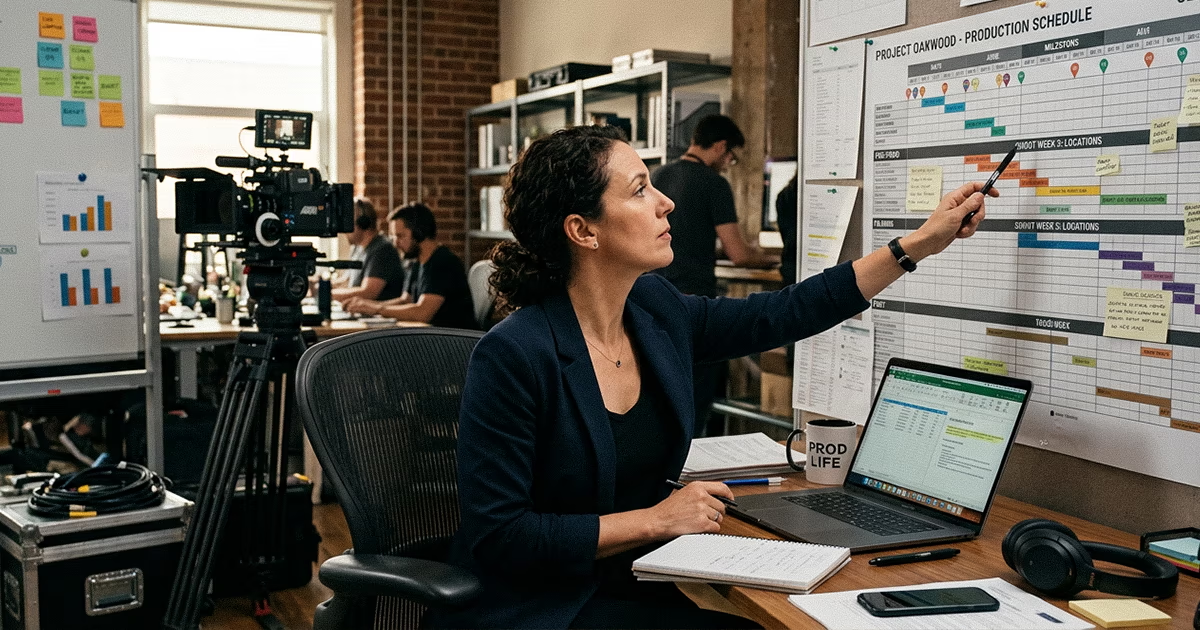
The project timeline is the big-picture plan. It tracks milestones across all phases: script approval, pre-production tasks, shoot dates, post-production review rounds, and final delivery. Your client sees this. Your agency partner sees this. It answers the question: where are we in the project, and when is each phase due?
The shooting schedule is the minute-by-minute plan for the shoot day. It tracks setups, locations, talent calls, meal breaks, and crew logistics. Your crew sees this. It answers the question: what are we doing right now, and what's next?
On branded content, the project timeline matters more than on most other project types because your client is an active participant in it. They have internal deadlines, approval cycles, and launch dates that your project timeline needs to accommodate. Sharing it early and updating it consistently is how you keep the client relationship smooth.
The shooting schedule, meanwhile, is an internal document that the client rarely needs to see in detail. They care about what day you're shooting and what time they should arrive on set. The rest is for your crew.
The 6-week framework scales up or down depending on the scope. Here's how the timeline shifts for common branded content formats.
This is the most common format. One shoot day, one hero video, a handful of social cuts. The 6-week timeline fits this project well. If you have less time, compress Weeks 2 and 3 into one week of aggressive pre-production. Don't compress post-production. That's where branded content projects get squeezed, and the deliverable quality suffers.
Add a week to the timeline. The extra pre-production time covers additional locations, talent scheduling across multiple days, and a more complex multi-day shooting schedule. Post-production also expands because more shoot days means more footage to review and more deliverables to cut.
For recurring branded content, the first project follows the full 6-week timeline. After that, subsequent shoots can often run on a compressed 3–4 week cycle because the creative framework, brand guidelines, and production infrastructure are already established. Build a master project timeline that maps the full series, with individual shooting schedules created for each shoot as they approach.
If you're producing ten to fifteen short-form videos in a single shoot day, your pre-production timeline stays the same, but your shooting schedule does more heavy lifting. Every setup needs to be tightly blocked because the volume demands efficiency. Budget extra time in post-production for the sheer number of deliverables.
Client approvals are the single biggest variable in any branded content project timeline. Here's the framework we use to manage them without letting the timeline slip.
Before you put dates on anything, list every point in the project where the client needs to approve something. Common approval gates on branded content include: script or concept approval, talent and casting approval, wardrobe and art direction approval, location approval, rough cut review, fine cut review, final deliverable sign-off, and legal or compliance clearance.
Each gate needs a clear owner on the client side, a defined turnaround time, and a consequence if it slips. "Client reviews rough cut" isn't a milestone. "Brand Manager approves rough cut within 3 business days" is.
Don't treat approval windows as flexible buffer. Treat them as fixed-duration blocks, just like shoot days. If you've agreed on three business days for rough cut review, that block is three days on the calendar. If the client needs more time, the delivery date moves unless another phase compresses.
At the start of every project, we share a simple rule with the client: the delivery date is based on the approval windows we agreed to. If any review takes longer than planned, the delivery date shifts by the same number of days. Putting this in writing during Week 1 prevents the uncomfortable conversation later when post-production gets squeezed.
After producing hundreds of branded content projects at Gorilla Creative, these are the project timeline mistakes we see other companies make most often.
You found a great DP who's available next Thursday. The script is "almost approved." You put a hold on the DP. Then the script goes through two more rounds of client revisions, the shoot date moves by a week, and the DP is no longer available. Now you're rebooking crew and potentially paying cancellation fees.
The fix: don't book crew until the script is locked. Holds are fine. Confirmed bookings should wait for creative sign-off.
"Post-production: 2 weeks" is not a schedule. It's a guess. Break post-production into its actual phases: rough cut assembly, client review round one, revisions, fine cut, client review round two, social cuts, final QC, and delivery. Each phase gets its own timeline.
The hero video gets all the scheduling attention. Then the social cuts, vertical edits, and still frames get crammed into the last two days before delivery. The result is rushed work on the assets the client's audience is most likely to see, since social cuts often get more impressions than the hero.
Schedule post-production time for every deliverable in the package. If the project includes six social cuts, each one needs editing time, a review round, and revisions.
If your client requires legal review, add five to seven business days to your timeline. Legal teams don't operate on project timelines. They operate on their own docket. Expecting a two-day turnaround on legal review is unrealistic for most enterprise clients.
Six weeks is a solid minimum for a standard one- to two-day shoot with a mid-size crew. Larger projects with multiple locations, extensive talent, or complex deliverable packages should budget eight to ten weeks. The variable that matters most is client approval speed. If your client's internal review process is slow, extend pre-production accordingly.
Client approval gates. On a documentary or indie project, the creative team makes decisions and moves forward. On branded content, every major creative decision needs client sign-off, and often agency sign-off on top of that. Your project timeline needs to account for this at every phase, not just the script stage.
Communicate the impact immediately. If the rough cut review takes five days instead of three, the delivery date shifts by two days unless another phase compresses. Put this in writing at the start of the project so it's an established expectation, not a confrontation.
The phase structure stays the same: script lock, pre-production, production, post-production, delivery. The durations change based on scope. We use the 6-week framework as a starting template and adjust the phase lengths for each project. The approval gate framework stays consistent regardless of project size.
A branded content project timeline covers more than the shoot day. It's the full plan from green light to delivered assets. The producers who run smooth branded content projects aren't better at putting out fires. They're better at building project timelines that prevent them.
Map your approval gates. Work backward from the delivery date. Separate your project timeline from your shooting schedule. Pad for legal, compliance, and the inevitable extra round of client notes. And build your shooting schedule with a tool that can keep up when changes happen on set.
→ Download our free branded content production timeline template