
By Nelson Nunez, Producer at Gorilla Creative
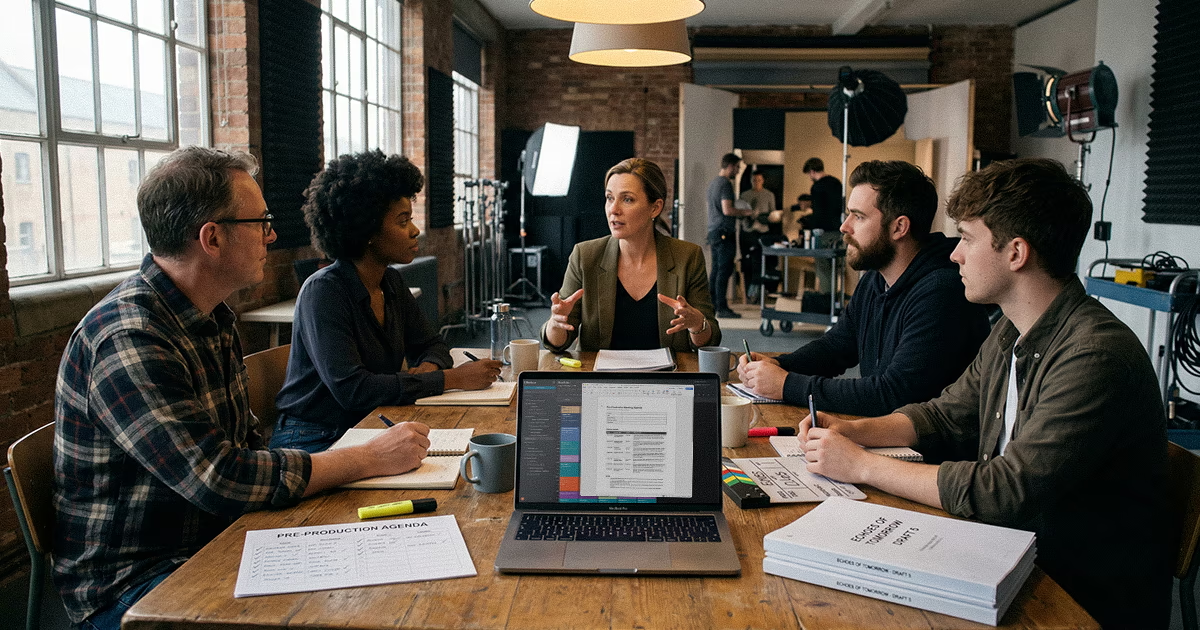
A pre-production meeting agenda is the difference between a focused 45-minute session that locks in your shoot plan and a two-hour ramble that ends with "let's circle back on that." Every producer has sat through the second kind. The meeting covers everything and resolves nothing. People leave with different assumptions about the schedule, the creative direction, or who owns what.
The fix isn't more meetings. It's a better structure for the one meeting that matters most.
At Gorilla Creative, we run pre-production meetings for branded content, corporate video, and commercial shoots every week. Over hundreds of projects, we've refined a repeatable agenda that keeps these meetings short, covers the right topics in the right order, and produces clear action items. This is that agenda, along with the reasoning behind each section.
If you're looking for the full sweep of what needs to happen before your shoot, start with our complete pre-production checklist for video shoots. This post focuses on one specific event within that timeline: the pre-production meeting itself.
The fastest way to kill a pre-production meeting is to invite too many people. Every additional attendee adds questions, side conversations, and the temptation to relitigate decisions that were already made.
The invite list should match the decisions that need to be made in the meeting. No more, no less.
Producer, director, DP, and the client-side lead. That's four people. If the shoot involves complex wardrobe, practical effects, or large-scale production design, add those department heads. Otherwise, those departments can be briefed separately after the meeting with a written summary.
Add the 1st AD, production designer, wardrobe lead, and possibly the location manager. Even on bigger shoots, try to keep the room under eight people. Beyond that, conversation fragments and decisions slow down.
PAs, additional grips, and crew members who don't have decision-making authority for the shoot. They need the information from the meeting, but they don't need to be in the meeting. Send them the recap and the updated schedule afterward.
The same applies to extra client stakeholders. If the client-side lead can't make decisions without looping in three more people, that's a sign to resolve the approval chain before the pre-pro meeting, not during it.
Here's the agenda template we use at Gorilla Creative. It's built for a 45-minute to one-hour session. Adjust the time allocations based on shoot complexity, but keep the section order. It's sequenced intentionally: creative alignment first, then schedule, then logistics, then open items.
A note on the time allocations. The schedule walkthrough gets the biggest block (15 minutes) because it surfaces the most issues. If creative alignment is already locked, you can trim the first two sections and give more time to logistics. If you're running a simple one-day interview shoot, the whole meeting might take 30 minutes. Scale the template to the shoot, but don't skip sections entirely.
The schedule walkthrough is the highest-value segment of the pre-production meeting. Every other agenda item either feeds into it or depends on it. Creative decisions affect scene order and timing. Logistics decisions affect location access and company moves. Department needs affect setup durations. The schedule is where all of those threads converge into a single document.
Here's how to run it effectively.
Don't summarize the schedule at a high level. Walk through each scene or setup in order. State the scene, the location, the estimated duration, and any notes. Then ask: does anyone see a problem with this?
This surfaces issues that summary-level discussions miss. The DP might flag that a scene right after lunch needs 20 extra minutes for a lighting reset. The director might want to swap two scenes so the talent isn't jumping between emotional tones back-to-back. These adjustments are easy to make in the meeting. They're expensive to discover on set.
When someone flags a timing conflict or scene reorder, adjust the schedule during the meeting. This only works if your scheduling tool is fast enough to make changes without derailing the conversation.
This is one of the reasons we use Dayframe for our schedule walkthroughs at Gorilla Creative. Drag a time block to a new position and its time readout updates instantly. If the director wants to swap scenes two and four, the adjustment takes five seconds and everyone in the room can see the updated times. In a spreadsheet, that same change means re-editing cell values row by row while the room waits.
The goal is to leave the meeting with a schedule that every department head has reviewed and agreed to. Not a schedule that "looks about right" with adjustments to be made later.
Every schedule has two or three moments where the timing is tight. Maybe it's a company move between locations with only 30 minutes of pad. Maybe it's a talent window that gives you exactly two hours for three setups. Call these out explicitly during the walkthrough. Make sure the relevant department heads know where the margin is thin so they can plan accordingly.
For a deeper walkthrough on building the schedule itself, see our step-by-step guide to creating a video production shooting schedule.
Even with a solid agenda, these are the mistakes we see producers make in pre-pro meetings. Each one is easy to prevent.
If the agenda only exists in the producer's head, the meeting will drift. Topics get skipped, revisited, or discussed out of order. Send the agenda to all attendees at least 24 hours before the meeting. This isn't about formality. It's about giving people time to prepare their questions and flagging issues before the room is assembled.
The pre-production meeting is not the time for people to read the script for the first time. Send the latest script, shot list, and schedule draft at least two days before the meeting. If someone shows up unprepared, that's on them. But if you didn't send the materials, that's on you.
This happens more than it should. The producer assumes the schedule is straightforward, skips the scene-by-scene review, and moves straight to logistics. Then on set, the DP discovers that the schedule has back-to-back setups in two different rooms with no move time, or the director realizes the scene order doesn't account for a costume change.
The schedule walkthrough is the single most important section of the pre-pro meeting. It is the section to protect when time gets tight.
"We need to figure out parking" is not an action item. "Nelson confirms parking with the building manager by Thursday" is an action item. Every open question that can't be resolved in the meeting needs a name and a date attached to it. If it doesn't have both, it won't get done.
Pre-production meetings expand to fill the time available. If you schedule 90 minutes, you'll use 90 minutes. If you schedule 60 minutes and stick to the agenda, you'll cover the same material and finish on time. Set a hard end time and keep the agenda visible during the meeting so everyone knows how much time each section has.
The pre-production meeting only matters if the decisions made in the room are captured and distributed. Within 24 hours of the meeting, send the following to all attendees and relevant crew.
The updated schedule should reflect every adjustment made during the walkthrough. This is the version that department heads will use to prep their teams. Don't send the pre-meeting draft. Send the post-meeting version.
The action item list includes every unresolved item, with an owner and a deadline. Format it as a simple list, not buried in a paragraph of meeting notes. People need to scan it in 30 seconds and know what's on their plate.
Any decisions that were locked in the meeting should be documented in writing. If the client approved a wardrobe direction, if the director locked the scene order, if the DP confirmed the lighting package, note it. This prevents "I thought we agreed on something different" conversations later.
If the shoot is more than a week out, confirm the next touchpoint. A quick check-in call three to five days before the shoot catches anything that fell through the cracks after the pre-pro meeting.
→ Download the free pre-production meeting agenda template
→ Start your free Dayframe trial at getdayframe.com
For a standard one- or two-day branded content or corporate video shoot, 45 minutes to one hour is the right range. Bigger productions with multiple locations, large cast, or complex logistics may need 90 minutes. If your meetings consistently run longer than that, you're either covering too many topics, inviting too many people, or not sending prep materials in advance.
Yes, but limit it to the client-side decision maker. Having the client in the room means creative and logistics questions get resolved on the spot instead of creating a follow-up loop. The risk is when three or four client stakeholders attend and use the meeting to debate internal preferences. Set expectations in advance: one client representative with authority to approve decisions.
One to two weeks before the shoot date. More than two weeks and too many details are still in flux. Less than one week and there's not enough time to act on the open items that surface in the meeting. For complex shoots, consider two meetings: an early creative alignment session three weeks out and a logistics-focused pre-pro meeting one week out.
A production kickoff happens at the start of the project. It establishes scope, timelines, deliverables, and team roles. A pre-production meeting happens one to two weeks before the shoot. It's focused on locking the shoot plan: creative alignment, schedule review, and logistics confirmation. The kickoff sets the project in motion. The pre-pro meeting confirms the shoot is ready to execute.