Change your plan at any time from account settings.
Dayframe has one plan with two billing options: monthly ($8/month) and annual ($80/year). Upgrading or downgrading means switching between these billing frequencies.
Switching between monthly and annual billing
Go to Settings → Billing.
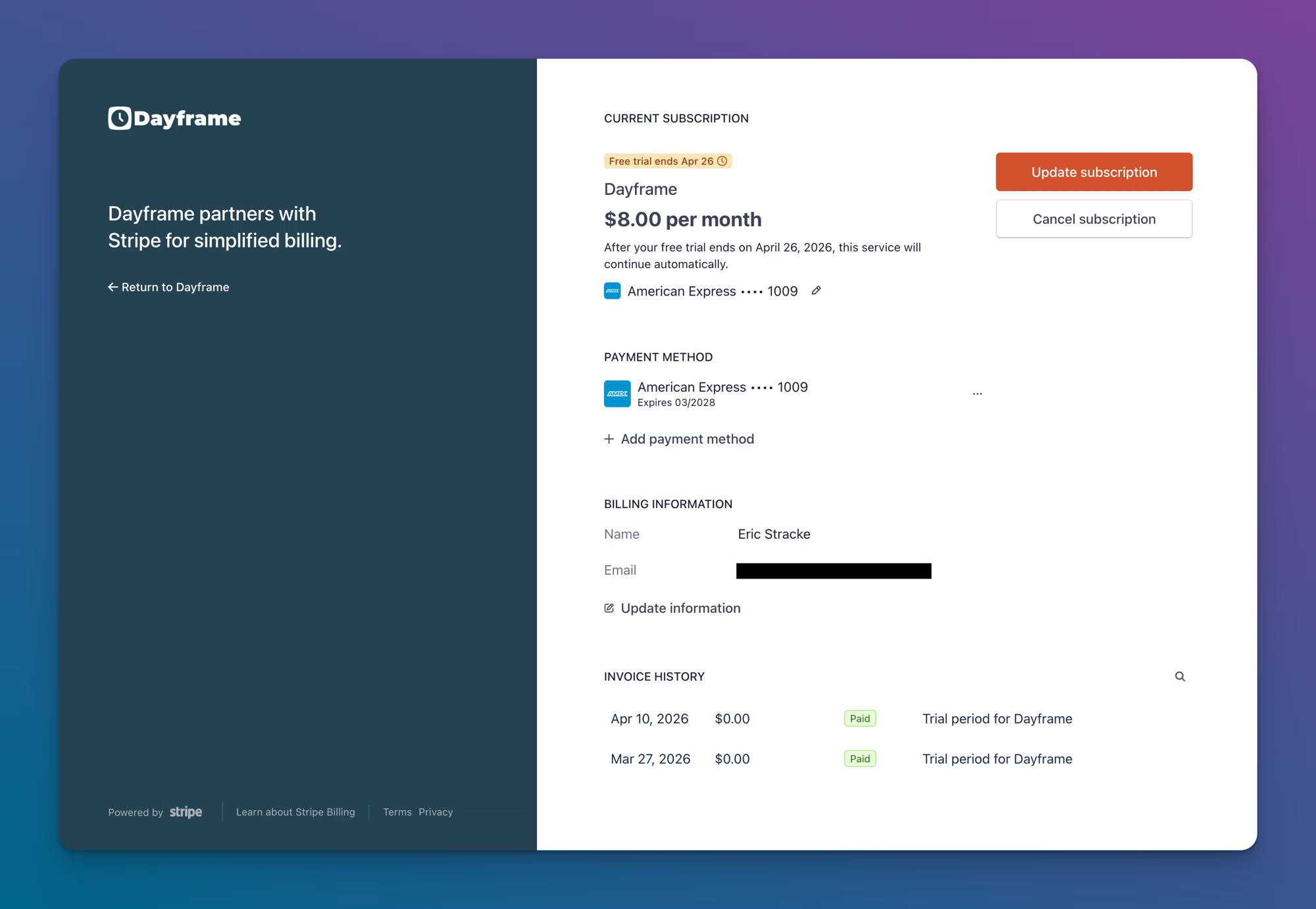
Click Manage Subscription. This opens the Stripe Customer Portal in a new tab.
Click Update subscription.
Select your preferred billing frequency (monthly or annual).
Confirm the change.
Changes take effect at the start of your next billing cycle. If you switch from monthly to annual, you'll be billed the annual rate on your next billing date. If you switch from annual to monthly, the change applies when your annual period ends.
Starting a paid plan from a free trial
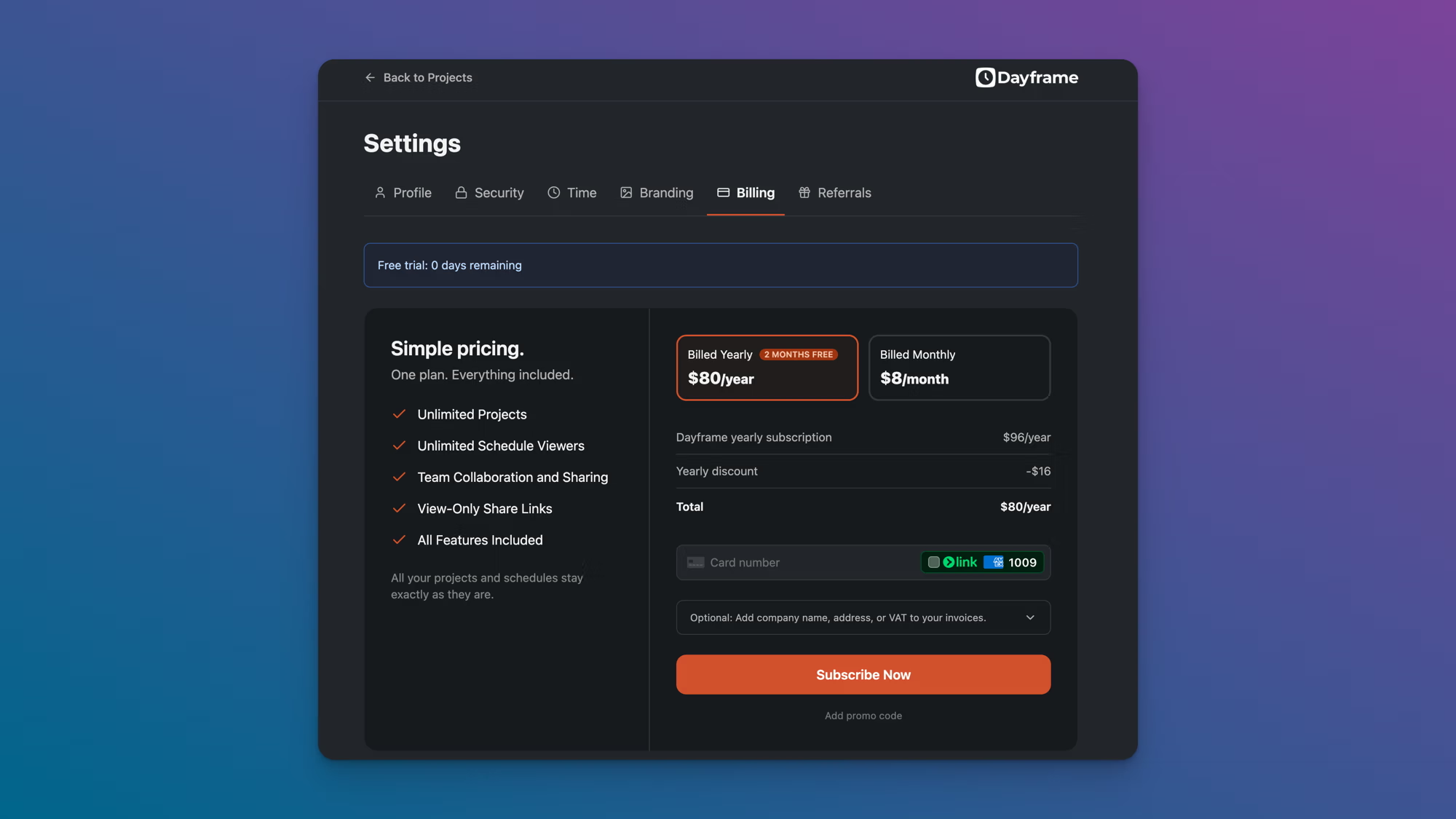
Go to Settings → Billing.
Choose Monthly or Annual.
Enter a promo code if you have one, then click Start Paid Plan.
Enter your payment information on the checkout page and click Subscribe Now.
Your trial converts to a paid subscription immediately. All your projects and schedules stay exactly as they are.
Tips
The annual plan gives you 2 months free compared to monthly billing. If you know you'll use Dayframe for more than a few months, annual is the better deal.
You can see your next billing date on the Billing page or in the Stripe Customer Portal.