Link departments together so one update keeps everything in sync.
Parent/child blocks let you connect a time block in one lane to blocks in other lanes. When you move or resize the parent block, its child blocks move with it. This keeps departments in sync without manually editing every lane.
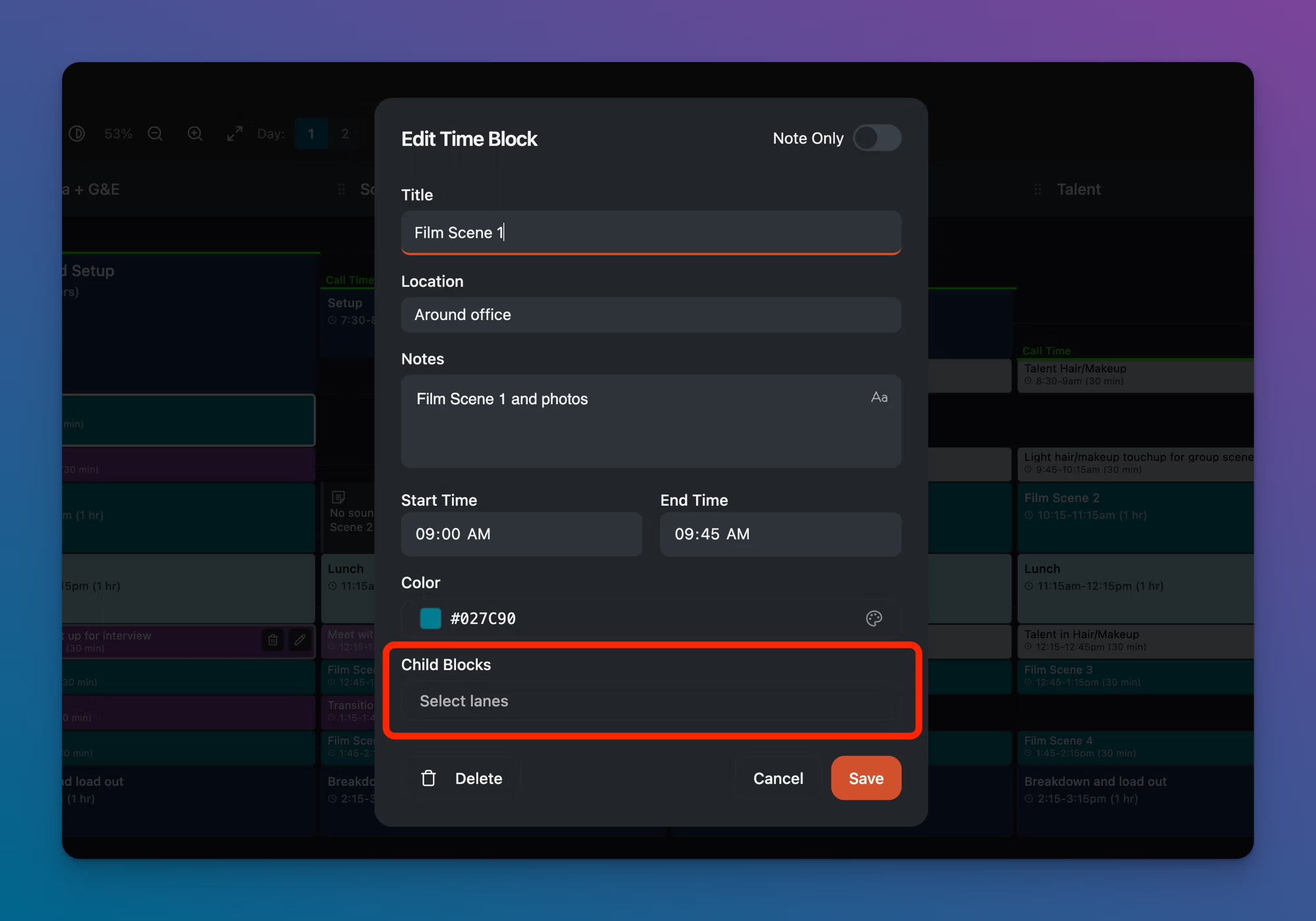
A common example: "Film Scene 1" runs from 9:00–9:45 AM across Camera + G&E, Sound, HMUA, and Talent. Instead of creating four separate blocks and adjusting each one when the schedule changes, you create one parent block and link it to child blocks in the other lanes.
Creating a parent block with child blocks
Click on a block or create a new one in the lane that will act as the parent.
Click the pencil icon to open the Edit Time Block modal.
Under Child Blocks, click the Select lanes dropdown.
A list of available lanes appears. Check the lanes where you want child blocks to appear (e.g., Sound, HMUA, Talent).
Click Save.
Child blocks appear in the selected lanes at the same time as the parent. They share the parent's title and time range.
How parent/child blocks behave
Moving the parent moves all its child blocks. The time relationship stays intact.
Editing the parent's time updates the child blocks' times to match.
Child blocks always mirror the parent. They share the same title, time, location, notes, and color. You cannot edit a child block independently.
Clicking a child block opens the parent block's Edit Time Block modal. There are no separate edit or delete icons on child blocks.
Deleting the parent removes all of its child blocks as well.
When to use parent/child blocks
Use them for any activity that spans multiple departments at the same time:
Scenes (Camera, Sound, HMUA, Talent all on set)
Meals (every department breaks at the same time)
Load-in and wrap (all hands on deck)
Don't use them when departments are doing different things at the same time. If Camera is shooting b-roll while HMUA is prepping talent for the next scene, those should be separate blocks.
Tips
Build your schedule with parent/child blocks from the start. It's easier than creating individual blocks and linking them later.
The parent lane is typically Camera or Camera + G&E, since that's usually the department driving the schedule.